
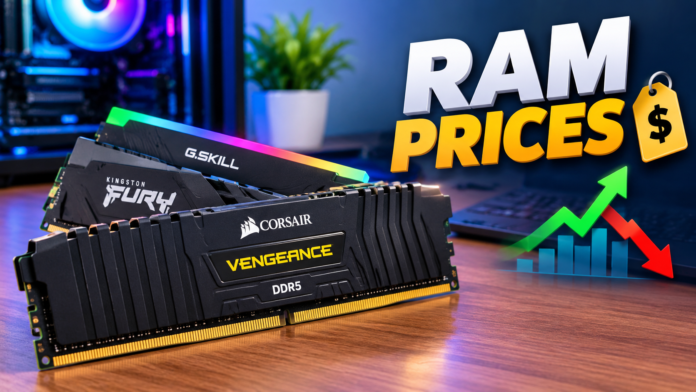

RAM prices can change quickly, making it difficult to know when you are getting a good deal. Whether you are building a new PC, upgrading an old laptop, or simply checking the cost of computer memory, understanding what affects RAM prices can help you make a smarter purchase. The price of RAM depends on several factors, including capacity, speed, generation, brand, compatibility, and current market demand.
For many users, choosing RAM is no longer as simple as picking the cheapest available option. Modern computers use different memory generations, and DDR4 and DDR5 modules can have noticeably different prices and specifications. Laptop memory can also differ from desktop RAM, while gaming-focused memory may include additional features such as RGB lighting and improved heat spreaders.
This guide explains RAM prices, the major factors behind them, the differences between popular RAM types, and what you should consider before buying. The goal is to make the process easier, especially if you are comparing several options and want good performance without unnecessarily spending more money.
What Is RAM and Why Is It Important?
RAM, or Random Access Memory, is one of the most important components inside a computer. It provides temporary storage that the processor can access quickly while applications and operating system processes are running. Unlike permanent storage such as an SSD or hard drive, RAM is designed for active tasks rather than long-term file storage.
The amount of RAM installed in a computer affects how many applications it can handle comfortably at the same time. A computer with insufficient RAM may become noticeably slower when multiple browser tabs, programs, or games are running. Adding more RAM can therefore make a system feel more responsive, particularly when the existing memory is limiting performance.
RAM also matters for gaming, video editing, programming, office work, and other demanding activities. However, simply buying the most expensive RAM does not guarantee better performance. The ideal choice depends on the computer’s motherboard, processor, operating system, workload, and compatibility requirements.
Why Do RAM Prices Vary So Much?
One of the biggest reasons RAM prices vary is memory generation. DDR4 and DDR5 are two common generations, but they are not interchangeable. DDR5 offers newer technology and higher potential speeds, while DDR4 remains popular because many older and budget-oriented computers support it.
Capacity is another major factor. A single 8GB module will generally cost less than a 16GB or 32GB module of a similar specification. However, pricing is not always perfectly proportional to capacity because manufacturers, retailers, and market conditions influence the final price.
Speed and timings can also affect cost. Higher-speed memory and modules with tighter timings may command a premium, especially when they are designed for gaming or enthusiast systems. Features such as RGB lighting, premium heatsinks, and specialized designs can increase the price without necessarily providing a major improvement in everyday performance.
DDR4 RAM Prices and What You Should Know
DDR4 has been widely used in desktop computers and laptops for years. Although DDR5 has become increasingly common in newer systems, DDR4 remains relevant because many existing PCs still use it. This continued demand means there are plenty of DDR4 modules available in different capacities and speeds.
One advantage of DDR4 is that it can be relatively affordable for users upgrading an older compatible computer. Someone with an existing DDR4 motherboard may find it more economical to add memory rather than replace the motherboard, processor, and RAM together. This makes DDR4 a practical choice for budget upgrades.
However, buyers should check their motherboard or laptop specifications before purchasing. A DDR4 system cannot simply use DDR5 memory. The physical design and electrical requirements are different, so choosing the correct generation is essential. Checking compatibility before looking at RAM prices can prevent an expensive purchasing mistake.
DDR5 RAM Prices and Performance
DDR5 represents a newer generation of memory technology and is commonly found in modern computer platforms. It offers higher memory bandwidth and introduces architectural improvements over DDR4. For users building a new PC, DDR5 can be an attractive long-term option when supported by the selected hardware.
The price of DDR5 can vary considerably depending on capacity, speed, timings, and brand. Basic modules may be relatively affordable, while high-speed gaming kits can cost significantly more. As the technology matures and becomes more widely adopted, pricing can change as manufacturers increase production and competition grows.
For everyday users, there is not always a need to purchase the fastest DDR5 kit available. A sensible configuration that matches the processor and motherboard can provide an excellent balance between cost and performance. Buyers should focus on the specifications their system can actually use instead of paying extra simply for a higher number on the product box.
How Much RAM Do You Actually Need?
The right amount of RAM depends heavily on how you use your computer. For basic browsing, documents, email, streaming, and light everyday work, a modest amount of memory can be sufficient. However, modern applications and operating systems can benefit from having more memory available.
For gaming and general productivity, a larger capacity can provide more flexibility. Users who regularly keep many browser tabs open while running other applications may also appreciate additional RAM. Meanwhile, professionals working with large video projects, 3D applications, virtual machines, or complex datasets may require substantially more memory.
It is important to remember that more RAM is not automatically better for every person. If your computer never comes close to using its available memory, spending significantly more on a larger capacity may not produce a noticeable benefit. The best approach is to match RAM capacity with your actual workload and future needs.
RAM Prices for Gaming PCs
Gaming is one of the most common reasons people search for RAM prices. Modern games can use a considerable amount of system memory, especially when combined with background applications such as web browsers, voice chat, launchers, and recording software.
Gaming RAM often comes in kits containing two modules because dual-channel configurations can provide better memory bandwidth on compatible systems. Buyers should therefore consider the complete kit rather than looking only at the capacity of an individual stick.
Speed can also matter for gaming performance, particularly on platforms where memory performance has a stronger effect on CPU-related workloads. However, the difference between a reasonably fast kit and an extremely expensive premium kit may not justify the additional cost for every gamer. A balanced build usually offers better value than spending too much on one component.
Laptop RAM Prices vs Desktop RAM Prices
Laptop and desktop computers typically use different physical memory formats. Desktop systems commonly use DIMMs, while many laptops use smaller SO-DIMM modules. Because of this difference, a desktop RAM stick generally cannot be installed in a laptop.
Laptop upgrades also have additional considerations. Some modern laptops have memory soldered directly to the motherboard, meaning the RAM cannot be replaced or upgraded in the traditional way. Before searching for RAM prices, laptop owners should confirm whether their particular model supports memory upgrades.
Compatibility should always come first. Check the laptop’s maximum supported capacity, memory generation, speed, and module type. Buying inexpensive RAM that does not work with the laptop is not a bargain.
How RAM Speed Affects Price
RAM speed is usually measured in MT/s, although many product listings use the term MHz. Higher-rated memory can offer greater bandwidth, but the real-world benefit depends on the processor, motherboard, application, and other system components.
A common mistake is assuming that the highest advertised speed will automatically make a computer much faster. In reality, the performance difference can vary significantly depending on the workload. For general office tasks, web browsing, and media consumption, extremely high memory speeds may provide limited practical benefits.
Gamers and performance-focused users may have more reason to compare speed and timings carefully. Still, the best value usually comes from selecting memory that fits the platform well rather than simply choosing the highest specification available.
Does RAM Brand Affect RAM Prices?
Brand reputation can influence RAM prices, but it should not be the only factor considered. Many established memory manufacturers offer reliable products across different price categories. The actual memory chips, specifications, warranty, compatibility, and quality of the specific kit are more important than choosing a brand based only on its name.
Premium brands may charge more for additional features, extensive testing, aesthetics, or warranty coverage. Gaming-oriented products can also include large heatsinks and RGB lighting, which can raise the price.
For buyers on a budget, a reputable memory kit with appropriate specifications is often a better choice than paying a large premium for cosmetic features. If two kits have similar specifications and reliability, the less expensive option may provide better overall value.
How to Compare RAM Prices Before Buying
When comparing RAM prices, start by identifying exactly what your computer supports. Determine whether you need DDR4 or DDR5, desktop DIMM or laptop SO-DIMM, and how much memory your system can handle.
Next, compare capacity and speed. A 16GB kit and a 32GB kit should not be compared simply by looking at their total prices. Consider the amount of memory you actually need and whether the additional capacity will benefit your workload.
Finally, compare warranties, seller reputation, return policies, and product specifications. A slightly cheaper product may not be a good deal if it comes from an unreliable seller or has unclear specifications. Price is important, but value is more important.
Tips for Getting the Best RAM Price
One of the easiest ways to save money is to avoid buying more performance than you need. If your computer is used mainly for browsing, office work, and entertainment, a sensible mid-range kit may be enough. There is little reason to pay a premium for enthusiast-level memory that your workload cannot take advantage of.
It can also help to compare several retailers before making a purchase. RAM prices can differ between sellers, and promotions can sometimes make a particular capacity or speed much more attractive. Looking at the cost per gigabyte can provide another useful comparison, although specifications should still be considered.
Timing can matter as well. Memory prices can move due to manufacturing supply, demand, new product launches, and broader technology-market trends. If your upgrade is not urgent, monitoring prices for a while may help you identify a better buying opportunity.
Common Mistakes to Avoid When Buying RAM
One common mistake is purchasing the wrong memory generation. DDR4 and DDR5 should never be treated as interchangeable simply because both are called RAM Prices. Always confirm motherboard or laptop compatibility before ordering.
Another mistake is mixing incompatible modules. While different RAM Prices modules can sometimes work together, mixing speeds, capacities, timings, or specifications can create compatibility problems. Whenever possible, using a matched kit designed to work together is a safer approach.
Buyers should also avoid focusing only on advertised speed. Capacity, compatibility, timings, motherboard support, processor limitations, and overall system balance all matter. The fastest RAM Prices available may not provide the best value for your particular computer.
Is Expensive RAM Worth It?
Expensive RAM Prices can be worthwhile in specific situations, but it is not necessary for everyone. Enthusiasts, professional users, and gamers with high-performance systems may benefit from carefully selected premium memory.
For most users, however, a reliable mid-range kit can deliver excellent performance. Spending substantially more on faster memory may produce only a small improvement in everyday applications. That money could potentially be better spent on another component, such as a faster SSD, stronger processor, or better graphics card.
The key is to identify what is actually limiting your computer. If the system already has sufficient memory, purchasing premium RAM Prices may not solve the real performance problem. A balanced upgrade is usually the smarter investment.
Final Thoughts on RAM Prices
Understanding RAM prices is about more than finding the cheapest memory available. The right purchase depends on capacity, generation, speed, compatibility, brand, warranty, and your personal workload. A good RAM Prices upgrade should improve your computer without wasting money on specifications you do not need.
DDR4 remains a practical option for compatible older systems, while DDR5 is an increasingly important choice for newer computer platforms. Laptop users should pay particular attention to module type and upgrade limitations, while desktop users should check motherboard compatibility and supported memory specifications.
Before buying, compare several products, verify your computer’s requirements, and consider how much RAM Prices you realistically need. Whether you are upgrading a basic office PC or building a powerful gaming machine, taking a few minutes to understand the specifications can help you get much better value from your budget.
As RAM prices continue to change, the best deal is not necessarily the product with the lowest price. It is the memory kit that provides the right combination of capacity, performance, reliability, and compatibility for your system. That approach can help you make a confident purchase and avoid unnecessary spending.