
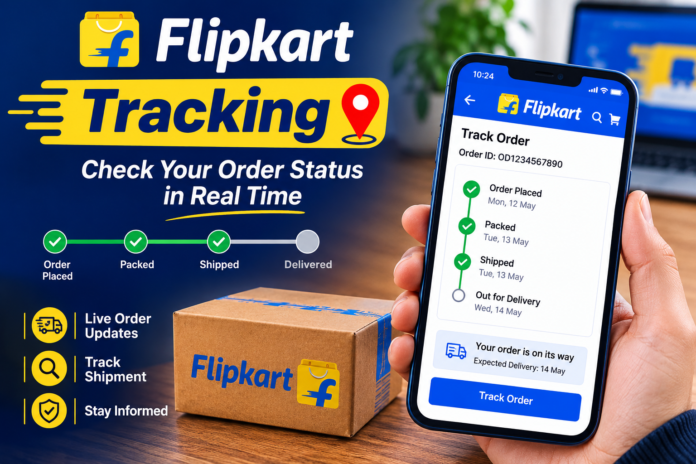

Flipkart Tracking Online shopping is convenient, but waiting for an order can sometimes feel frustrating. Whether you have purchased a smartphone, clothes, electronics, groceries, or something for your home, you usually want to know where your package is and when it will arrive. This is where Flipkart tracking becomes useful. With Flipkart’s order-tracking system, customers can check the current status of their purchases without having to contact customer support every time.
Flipkart tracking allows shoppers to follow an order from the moment it is confirmed until it reaches their doorstep. The tracking information can show important updates such as order confirmed, packed, shipped, out for delivery, and delivered. Depending on the seller and courier service, you may also see additional shipment information.
In this guide, we will explain how Flipkart tracking works, how to track an order using the app or website, what different tracking statuses mean, and what you can do if your order appears to be delayed. The goal is to make the entire process simple and easy to understand, even if you are using Flipkart tracking for the first time.
What Is Flipkart Tracking?
Flipkart tracking is a feature that lets customers monitor the progress of an online order. After placing an order on Flipkart, the platform provides updates as the package moves through different stages of processing and delivery. You can normally find these updates in the My Orders section of your Flipkart account.
The tracking system is especially helpful because you do not have to guess whether your order has been shipped or is still being prepared. Instead, the order page provides a timeline showing the latest available status. This can help you understand whether the package is still with the seller, moving through a delivery network, or already on its way to your address.
Tracking information can vary depending on the product, seller, location, and delivery partner. Some shipments may receive frequent updates, while others may only show major milestones. Therefore, it is normal for the tracking page to remain unchanged for a while when a package is moving between delivery facilities.
How to Track a Flipkart Order
The easiest way to track a Flipkart order is through the Flipkart mobile app. First, open the app and sign in using the account that was used to place the order. Once you are logged in, go to the account section and select My Orders.
You will see a list of your recent purchases. Find the product you want to track and open its order details. The page should display the current status of your shipment along with available delivery information. If the item has already been dispatched, the tracking timeline may provide more detailed progress updates.
Another option is to use the Flipkart website. Sign in to your account, open your orders, and select the relevant purchase. Using the official Flipkart account is generally the safest way to check order information because you can see details connected directly to your purchase.
Flipkart Tracking Through the Mobile App
For people who frequently shop online, the Flipkart mobile app is one of the most convenient ways to monitor deliveries. You can check your orders from almost anywhere as long as you have an internet connection. The app also makes it easier to see updates without opening a desktop browser.
After opening the app, navigate to your account and look for the Orders or My Orders section. Select the product you are waiting for, and you should be able to view its current delivery status. If the shipment has moved to another stage, the order timeline may update automatically.
It is worth remembering that tracking updates are not always instant. A parcel can physically move from one location to another before the latest scan appears online. If there is no change for several hours, that does not necessarily mean your package is lost or stuck.
How to Track Flipkart Orders on the Website
Some shoppers prefer using a computer rather than a mobile phone. In that case, Flipkart’s website provides a straightforward way to check your order history and shipment status.
Log in to the Flipkart account you used when making the purchase. After signing in, open your order history and select the order you want to monitor. The order details page should show the available tracking information, expected delivery date, and other relevant details.
For security, always access your order information through the official Flipkart website or app. Avoid entering your Flipkart login details into unfamiliar websites that claim to provide tracking services. Fake tracking pages can sometimes be designed to collect personal or payment information.
Understanding Flipkart Order Statuses
One of the most confusing parts of online shopping can be understanding what each order status actually means. Flipkart may display different messages depending on the stage of your shipment.
Order Confirmed generally means the purchase has been successfully placed and accepted for processing. At this point, the seller or fulfillment system is preparing the product for the next stage.
Packed usually indicates that the item has been prepared and packaged for shipment. The parcel may still be waiting for pickup by the delivery partner.
Shipped means the package has entered the delivery network. It may travel through one or more sorting centers before reaching the facility closest to your location.
Out for Delivery is one of the most important updates for customers. It normally means the package has been assigned for delivery and is expected to reach the provided address soon.
Delivered indicates that the delivery has been recorded as completed. If you believe an order has been marked delivered incorrectly, you should check the delivery details and contact Flipkart support through the appropriate official channels.
What Does “In Transit” Mean on Flipkart?
The phrase in transit means your package is moving through the delivery network. It does not necessarily mean that the parcel is traveling directly from the seller to your home.
For example, a shipment may move from a seller’s location to a regional warehouse, then to a sorting center, and finally to a local delivery facility. During this process, the tracking status may continue to show that the order is in transit.
It is also possible for the tracking page to remain unchanged while the package is moving between facilities. This happens because tracking systems generally update when a shipment is scanned at certain points. A lack of a new scan does not automatically mean there is a problem.
Why Is My Flipkart Order Delayed?
There are several reasons why a Flipkart delivery might take longer than expected. High order volumes during major sales events can put additional pressure on warehouses and delivery networks. Weather conditions, transportation problems, local restrictions, and operational issues can also affect delivery times.
Another possibility is that the item is being shipped from a location farther away than expected. Some products may need to pass through multiple distribution centers before reaching the customer’s area.
If your order has passed its expected delivery date, check the latest information on the order page first. If the status does not provide a clear explanation, you can use Flipkart’s official Help Centre or customer-support options available through your account.
What Should You Do If Flipkart Tracking Is Not Updating?
Sometimes customers notice that their tracking status has not changed for a day or more. While this can be worrying, a temporary lack of updates is not always a serious problem.
The first thing to do is check the expected delivery date. If the expected date has not passed, it may simply be a delay in tracking information. Delivery networks do not necessarily generate a new tracking event every time a parcel moves.
If the expected delivery date has passed and there are still no meaningful updates, check the order page for support options. Provide the order information requested by Flipkart Tracking and explain that the tracking status has not changed. Keeping your communication within Flipkart’s official support system is generally the best approach.
Can You Track a Flipkart Order Without Logging In?
In most cases, detailed order tracking is connected to the Flipkart Tracking account used to place the order. This helps protect customer information and prevents other people from accessing private order details.
If someone sends you a tracking link, be careful before entering personal information. Genuine delivery communications should not require you to share sensitive account passwords, OTPs, or banking credentials simply to check a shipment status.
If you are unsure about a message or tracking link, the safer option is to open the official Flipkart Tracking app or website yourself and check the order from your account rather than relying on an unknown link.
Flipkart Tracking and Delivery Partners
Flipkart orders can be handled through different parts of its logistics and delivery network. Depending on the product and destination, the actual transportation may involve different delivery partners or logistics arrangements.
This is why tracking details can look different from one order to another. One shipment might provide a detailed location history, while another may show only a few major milestones.
The important thing is to focus on the latest verified status shown for your specific order. Comparing the tracking experience of two different Flipkart Tracking purchases can sometimes be misleading because they may have different sellers, fulfillment locations, products, and delivery routes.
Flipkart Tracking vs. Courier Tracking
There is a small but important difference between tracking an order through Flipkart Tracking and tracking a shipment directly through a courier service. Flipkart connects the shipment information with your purchase, making it easier to see the overall order status.
Courier tracking, when available, may provide more shipment-specific information. However, customers should avoid entering tracking numbers into random third-party websites simply because they promise more detailed results.
If a courier tracking number is provided in your order details, use the courier’s official tracking service when necessary. This can sometimes provide additional information about the shipment’s movement.
Tips for a Smooth Flipkart Delivery
One simple way to avoid delivery problems is to make sure your address and contact information are correct before placing an order. An incomplete address, incorrect phone number, or missing location details can create unnecessary delivery difficulties.
You should also keep an eye on the expected delivery date. If you know you will not be available, check whether your delivery can be received by another authorized person at your address, depending on the delivery requirements for the order.
Finally, never share sensitive information such as account passwords, banking PINs, or OTPs with someone who contacts you unexpectedly about a delivery. Genuine customer support should not require you to reveal confidential security credentials.
Frequently Asked Questions About Flipkart Tracking
How can I check my Flipkart order status?
Open the Flipkart Tracking app or website, sign in to your account, and go to My Orders. Select the relevant purchase to view its current status and available tracking information.
Why is my Flipkart tracking not updating?
Tracking information may not update immediately when a package is moving between facilities. If the expected delivery date has passed and there are still no useful updates, check the available support options through your Flipkart Tracking account.
What does “Out for Delivery” mean on Flipkart?
“Out for Delivery” generally means the package has been assigned for delivery and is expected to reach the delivery address soon. The exact delivery time can vary depending on the local delivery route.
Can I track my Flipkart package on my phone?
Yes. The Flipkart mobile app allows customers to access their orders and view available shipment updates. You can also use the official Flipkart Tracking website through a mobile browser.
What should I do if my Flipkart order says delivered but I did not receive it?
First, check the delivery information and make sure nobody else at your address received the package. If you still cannot locate the shipment, use Flipkart’s official support options from your account and report the issue as soon as possible.
Final Thoughts on Flipkart Tracking
Flipkart tracking makes online shopping more convenient by giving customers visibility into the progress of their orders. Instead of wondering whether a package has been shipped or when it might arrive, you can check the order timeline and see the latest available information.
The most reliable method is to track your purchase through the official Flipkart Tracking app or website. Understanding statuses such as confirmed, packed, shipped, in transit, out for delivery, and delivered can also make the tracking process much less confusing.
If a tracking update is temporarily delayed, there is usually no reason to panic. Give the system some time to update, check the expected delivery date, and contact official Flipkart support if the issue continues. With these simple steps, tracking your Flipkart Tracking order can be quick, safe, and stress-free.
You May Also Read: Shiprocket Track