
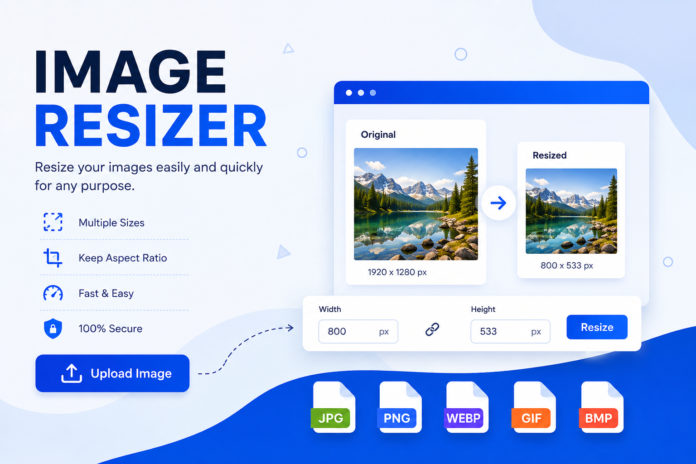

Image Resizer If you have ever tried to upload a photo to a website, social media platform, blog, or online store, you have probably noticed that image size matters. A picture may look perfect on your computer but appear too large, too small, or blurry when uploaded somewhere else. This is where an image resizer becomes useful. An image resizer lets you change the dimensions of an image quickly while helping you keep the picture clear and usable.
Whether you are a blogger, student, designer, photographer, business owner, or casual internet user, resizing images is a simple skill worth knowing. You may need to reduce a large photo for faster website loading, prepare an image for social media, or change its dimensions to fit a specific design. The good news is that you do not always need complicated editing software to do it.
In this guide, we will explain what an image resizer is, how it works, why image resizing matters for SEO, and how to resize images properly without unnecessarily reducing their quality.
What Is an Image Resizer?
An image resizer is a tool or software that changes the width and height of a digital image. For example, if an image is 3000 × 2000 pixels, you can resize it to 1500 × 1000 pixels while keeping the same general shape. Many online image resizers can complete this process within a few seconds.
Image resizing is different from simply cropping a photo. Cropping removes part of the image, while resizing changes the dimensions of the entire image. A good image resizer can also maintain the original aspect ratio, which helps prevent the picture from looking stretched or squeezed.
Image resizers are available as websites, desktop applications, mobile apps, and built-in editing tools. Online options are particularly convenient because you can usually upload an image, enter your preferred dimensions, resize it, and save the result without installing additional software.
Why Do You Need an Image Resizer?
One of the biggest reasons people resize images is to reduce file size. Modern cameras and smartphones can create very large images, and uploading those original files directly to a website can make pages heavier. A smaller, properly sized image can be much more practical for online use.
Resizing can also help you meet specific platform requirements. Websites, blogs, online marketplaces, presentations, and social media platforms often work best with particular image dimensions. Instead of trying to use the original photo everywhere, you can create a version that fits the space properly.
Another important benefit is convenience. You do not need advanced graphic design knowledge to resize a picture. With a simple image resizer, even someone with little editing experience can prepare images for different purposes.
How Does an Image Resizer Work?
An image resizer works by changing the number of pixels that make up an image. When you reduce an image from a large resolution to a smaller resolution, the software calculates which pixels should remain and combines information from the original image to create the new version.
For example, imagine that you have a 2400 × 1600 pixel photograph. If you resize it to 1200 × 800 pixels, the image becomes smaller while maintaining the same 3:2 aspect ratio. This is usually preferable to entering unrelated width and height values.
Most good resizing tools include an option such as maintain aspect ratio or lock proportions. Keeping this option enabled helps prevent distortion. If you change the width, the height is automatically adjusted according to the original proportions.
Image Resizing vs. Image Compression
Image resizing and image compression are related, but they are not exactly the same thing. Resizing changes the physical dimensions of an image, such as reducing its width from 3000 pixels to 1500 pixels. Compression focuses mainly on reducing the amount of data stored in the image file.
A large image can sometimes benefit from both processes. For example, you might first resize a 4000 × 3000 pixel photograph to 1600 × 1200 pixels and then compress it to reduce the file size further. This can make the image much more suitable for a website.
However, excessive compression can introduce visible artifacts or reduce clarity. The best approach depends on where the image will be used. A website thumbnail may not need the same quality level as a large image intended for printing.
How to Resize an Image Online
Using an online image resizer is generally straightforward. First, choose a reputable tool that supports the image format you need. Common formats include JPG, JPEG, PNG, and WebP.
Next, upload your image and select the desired width or height. If the tool offers an aspect-ratio lock, keep it enabled unless you specifically need custom proportions. After entering the dimensions, start the resizing process and review the result before saving it.
Before using the resized image on your website, check both its appearance and file size. A picture that technically has the right dimensions may still be too large in file size, so checking both factors is useful.
How to Resize Images Without Losing Quality
You cannot always reduce an image significantly without losing some detail. However, you can minimize quality problems by starting with a high-quality original and making sensible size changes.
Avoid enlarging a small image too much. When you increase an image beyond its original resolution, the software has to create additional pixels. This can make the image appear soft or blurry. Whenever possible, resize a large original down rather than dramatically enlarging a small one.
It is also important to choose the right file format. JPEG can work well for photographs, while PNG is useful when you need transparency or certain types of graphics. WebP can also provide efficient image delivery for many websites.
Why Image Resizing Matters for SEO
Image optimization can have a direct impact on the user experience of a website. Very large images can require more data to load, especially for visitors using slower connections or mobile devices. Properly sized images can help reduce unnecessary page weight.
Page experience is important because visitors generally expect websites to load quickly and respond smoothly. If a page takes too long to display because of oversized images, visitors may leave before reading the content. That can hurt engagement and make your website less pleasant to use.
For SEO, resizing should be part of a broader image optimization strategy. You should consider dimensions, file format, compression, descriptive filenames, and useful alt text. No single image optimization technique guarantees higher rankings, but together they can contribute to a better website experience.
Best Image Sizes for Websites
There is no single image size that works perfectly for every website. The ideal dimensions depend on where the image will appear. A large hero image may need considerably more pixels than a small thumbnail or profile picture.
For blog content, it is usually smart to resize images according to the maximum display size needed by your website. Uploading a 5000-pixel-wide image when the page only displays it at 1000 pixels wide creates unnecessary data.
Responsive websites can display the same image at different sizes depending on the visitor’s device. For more advanced websites, responsive image techniques can provide appropriately sized versions for different screen widths instead of forcing every visitor to download the largest file.
Choosing the Right Image Format
Choosing the right format is another important part of image optimization. JPEG is commonly used for photographs because it can provide a good balance between quality and file size. It is especially useful when an image contains many colors and complex details.
PNG is often useful for logos, illustrations, screenshots, and graphics where transparency or sharper edges are important. However, PNG files can become quite large when used for detailed photographs.
WebP is a modern format that can provide efficient image delivery and is widely supported by current browsers. For many websites, WebP is a useful choice when the site’s content management system and workflow support it.
Common Mistakes When Resizing Images
One common mistake is changing the width and height independently. For example, reducing an image’s width while keeping an unrelated height can make people or objects appear unnaturally stretched. Always maintain the aspect ratio unless you intentionally want a different shape.
Another mistake is resizing an image too many times. Repeatedly editing and saving certain image formats can gradually reduce quality. It is usually better to keep the original file and create optimized versions from that original when needed.
A third mistake is assuming that smaller dimensions always mean a smaller file. File size also depends on the format, compression level, image complexity, metadata, and other factors. After resizing, always check the actual file size.
Image Resizer for Bloggers
Bloggers frequently work with images from cameras, stock libraries, screenshots, and design tools. These files can have dimensions much larger than what a typical blog page requires. Resizing them before uploading can make content management easier.
For example, if your blog displays featured images at around 1200 pixels wide, there may be little practical benefit in uploading a 5000-pixel-wide original. A properly resized version can provide enough visual detail while avoiding unnecessary file weight.
Bloggers should also think beyond dimensions. Rename files descriptively, use relevant alt text where appropriate, select suitable formats, and avoid uploading multiple unnecessarily large copies of the same image.
Image Resizer for Social Media
Social media platforms use different image layouts and display sizes. An image designed for a square post may not work well in a wide banner or vertical format. Resizing can help you prepare the same visual for different platforms.
Instead of stretching one image to fit every format, it is often better to create separate versions. This gives you more control over how important elements appear within the frame.
Before posting, preview the resized image. Check whether text, logos, faces, and other important elements remain visible. A technically correct image can still look poor if key content is positioned too close to an edge.
Image Resizer for E-Commerce
Online stores also benefit from properly resized images. Product photos need to be clear enough for customers to inspect, but they should not be unnecessarily large. Large product images can make shopping pages slower, particularly when many products appear on the same page.
A consistent image size can also make an online store look more professional. If one product image is tiny and another is extremely large, the product grid can look uneven and distracting.
For e-commerce websites, create a consistent image workflow. Use similar dimensions, suitable formats, and reasonable compression settings across product photos. This saves time and creates a cleaner customer experience.
Can You Resize Images on a Phone?
Yes, many smartphones include basic image editing features that allow you to change image dimensions or crop pictures. There are also numerous image editing applications that provide resizing options.
Mobile resizing can be useful when you need to prepare a picture quickly before uploading it. For example, you may want to reduce a large photo before sending it through an online form or posting it to a website.
When using a mobile app, pay attention to privacy and permissions. If an image contains personal information, avoid uploading it to an unfamiliar online service. A trusted offline editing option may be preferable in situations where privacy matters.
How to Choose a Good Image Resizer
A good image resizer should be easy to use and support common image formats. It should also provide clear controls for width, height, aspect ratio, and output quality.
Privacy is another factor worth considering. If you are working with personal photographs or sensitive business images, understand how the tool handles uploaded files. Tools that process images locally on your device can be useful when privacy is a priority.
Finally, look at the output quality. A resizing tool should produce a clean image without unnecessary distortion or severe loss of detail. If you regularly resize images, testing a few tools can help you find the workflow that works best for you.
Frequently Asked Questions About Image Resizers
What is the purpose of an image resizer?
An image resizer changes the width and height of a picture. It can help prepare images for websites, social media, documents, online stores, and other digital platforms.
Does resizing an image reduce quality?
Reducing an image can remove some fine detail, but a sensible resize usually preserves enough quality for normal online use. Enlarging a small image too much is more likely to make it look blurry.
What is the best image size for a website?
There is no universal best size. The correct dimensions depend on the image’s location and the maximum size at which the website displays it. Avoid uploading dimensions that are much larger than necessary.
Is resizing the same as compressing an image?
No. Resizing changes the image’s dimensions, while compression reduces the amount of data stored in the file. You can use both techniques together for website optimization.
Which image format should I use?
JPEG is often suitable for photographs, PNG can be useful for graphics and transparency, and WebP is a strong modern option for many websites. The best choice depends on the type of image and your platform.
Final Thoughts
An image resizer is a simple tool, but it can make a noticeable difference in how you manage digital images. Whether you are running a blog, building a business website, creating social media posts, or simply organizing personal photos, properly sized images are easier to use and often more efficient.
The key is not to make every image as small as possible. Instead, aim for the right balance between dimensions, quality, and file size. Keep the aspect ratio correct, choose an appropriate format, and avoid unnecessarily enlarging small images.
For website owners and bloggers, image resizing should be part of a complete SEO and performance strategy. When images are prepared correctly, visitors get a smoother experience, pages can become more efficient, and your content is easier to manage. With the right image resizer and a simple workflow, image optimization becomes a quick task rather than a frustrating one.
You May Also Read: Magento Development Company