
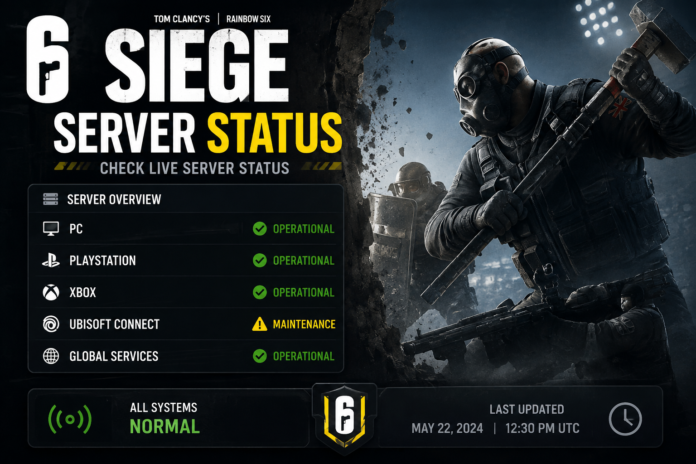

Siege Server Status If you are trying to play Rainbow Six Siege and suddenly cannot connect, the first question is usually simple: Are the Siege servers down, or is something wrong on my end? Connection errors, long matchmaking times, failed logins, and sudden disconnections can all make it look like the entire game is offline. In reality, the problem may come from Ubisoft’s servers, scheduled maintenance, your gaming platform, or your own internet connection.
The good news is that checking the Siege server status does not have to be complicated. A few quick checks can usually tell you whether the issue is widespread or limited to your setup. Ubisoft provides official support and server-status information for its games, making it the best place to start when Rainbow Six Siege is not connecting properly.
This guide explains what Siege server status means, how to check it, what common server problems look like, and what you can do when the game refuses to connect.
What Does Siege Server Status Mean?
The term Siege server status refers to the current operating condition of the online services used by Rainbow Six Siege. Because Siege is primarily an online multiplayer game, several backend services work together to handle things such as authentication, matchmaking, player profiles, statistics, and other online features.
When those services are working normally, players should generally be able to sign in, create or join matches, communicate with friends, and access online game features. If one of the services experiences an outage, you might still be able to launch the game while being unable to start a match.
Server status can also change quickly. A service may be temporarily unavailable because of maintenance, unexpected technical problems, or unusually high demand. That is why checking the current status is more useful than relying on an old social-media post or yesterday’s report.
For the most reliable information, players should check Ubisoft’s official support and status information rather than assuming that every connection problem is caused by their own internet. Ubisoft’s official Help platform specifically provides support information and server-status resources.
How to Check Rainbow Six Siege Server Status
The easiest approach is to start with Ubisoft’s official channels. Ubisoft maintains support information for its games, including Rainbow Six Siege, and this should be your first stop when you cannot connect.
Ubisoft Help and Support
You can also look for the Rainbow Six Siege status page through Ubisoft’s official website. A status page can help identify whether Ubisoft is reporting an ongoing incident or whether the services are operating normally.
It is worth checking more than once if you are experiencing a sudden outage. Server problems can be investigated and resolved while you are waiting, so the situation at 7:00 PM may not be the same as it was at 7:15 PM.
Community reports can sometimes provide useful clues as well. For example, players have previously reported situations where they could not connect even when the official status page appeared normal. That can happen when an issue affects a particular platform, region, internet provider, or service rather than the entire game.
Is Rainbow Six Siege Down for Everyone?
One of the most important questions is whether the problem affects everyone or only you. If thousands of players are reporting the same connection issue at approximately the same time, there is a much stronger possibility that the problem is server-side.
However, a smaller outage can be harder to identify. Sometimes PC players may experience a problem while console players continue playing, or a particular region may experience connectivity problems while other regions remain unaffected.
Your gaming platform can also be responsible. PlayStation Network, Xbox services, or another platform’s online infrastructure may experience an interruption that affects your ability to access Siege. In that situation, Ubisoft’s servers could be operating normally even though you cannot play.
This is why a good server-status check should consider three areas: Ubisoft’s services, your gaming platform, and your own network. Looking at only one of them can lead to the wrong conclusion.
Common Signs of a Siege Server Outage
There are several symptoms that can indicate a server-side problem. One common sign is being unable to connect to Ubisoft’s online services even though your internet works normally for other websites and applications.
Another warning sign is widespread matchmaking failure. If you can open the game but cannot find a match, repeatedly receive connection errors, or get removed from matchmaking, the issue may involve the online services rather than your local connection.
Sudden disconnections affecting multiple players are another important clue. If friends in different locations are experiencing the same issue at the same time, it becomes less likely that everyone’s individual internet connection failed simultaneously.
Players have experienced major Rainbow Six Siege incidents in the past. For example, a significant backend incident in December 2025 caused widespread disruption, and Ubisoft temporarily shut down Siege and its Marketplace while it worked on the issue.
That example also shows why players should avoid making assumptions based solely on what appears on their own screen. A game can launch successfully while important backend services remain unavailable.
Scheduled Maintenance vs. Unexpected Outages
Not every period of downtime means something has gone wrong. Online games regularly require maintenance so developers can update services, deploy fixes, or make changes to the game’s infrastructure.
Scheduled maintenance is usually easier for players to understand because it may be announced ahead of time. During that period, attempting to repeatedly restart the game will not make the servers return faster.
Unexpected outages are different. They can happen without much warning and may involve technical failures, connectivity problems, software issues, or other backend complications. In these situations, the development and support teams need to investigate the cause before restoring normal service.
The best approach is to check the official status information and wait for confirmed updates. Avoid repeatedly changing your settings when the evidence points toward a server-side problem.
What If Siege Servers Are Online but You Still Cannot Connect?
This is one of the most frustrating situations. You check the official status page, everything appears operational, but Rainbow Six Siege Server Status still refuses to connect.
Start by checking whether other online games and websites work normally. If several services are having trouble, your internet connection may be the more likely cause. If everything else works and only Siege Server Status is affected, the problem could be specific to the game, platform, account, or connection route.
Restarting the game and your gaming device can sometimes resolve temporary connection problems. You can also check whether your platform’s online services are operating normally.
It is important not to change lots of network settings randomly. If the official services are experiencing an outage, changing settings on your device is unlikely to fix the underlying problem. A simple check followed by patience is often the better approach.
Why Regional Problems Can Be Confusing
Rainbow Six Siege Server Status is played by people around the world, so not every outage affects every player. A connectivity problem may be limited to a particular region or network route.
This can create confusing reports online. One player might say that Siege Server Status is completely down, while another says they are playing normally. Both statements can be true if the problem is regional.
Your physical location can also affect the route your connection takes to a game’s servers. Even when Ubisoft’s services are functioning, problems somewhere between your internet provider and the game’s infrastructure can cause high latency or connection failures.
For that reason, a few isolated player reports should not automatically be treated as proof of a global Siege Server Status outage. Official information and multiple independent reports provide a much clearer picture.
How Long Do Siege Server Outages Last?
There is no universal outage duration. A small technical issue might be resolved relatively quickly, while a complicated backend problem can take considerably longer.
The length of an outage depends on what caused it, how widespread the issue is, and how much testing is required before services can safely return. Developers may also bring services back gradually rather than switching everything on at once.
This approach can be especially important after a serious incident. In the December 2025 Siege Server Status disruption, Ubisoft used testing and a gradual reopening process before making the game broadly available again.
So, if the servers are down, repeatedly restarting your console or PC will not speed up Ubisoft’s recovery work. Checking for official updates periodically is generally the most sensible option.
Siege Server Status on PC and Consoles
Rainbow Six Siege Server Status is available across multiple gaming platforms, and connection problems can sometimes affect platforms differently. A problem on PC does not necessarily mean that PlayStation or Xbox users are experiencing exactly the same issue.
This is another reason platform-specific checks can be useful. If your friends on another platform are playing normally while you cannot connect, the problem may be related to your platform rather than Siege Server Status as a whole.
Cross-platform features can also make troubleshooting more complicated because several services may be involved in a single online session. A player might successfully launch Siege Server Status but encounter trouble when connecting to matchmaking or other online features.
When troubleshooting, identify exactly where the failure occurs. Knowing whether the game will not launch, cannot sign in, cannot matchmake, or disconnects during a match can make it much easier to determine where the problem is coming from.
What Should You Do When Siege Is Down?
If official information confirms that Rainbow Six Siege Server Status is experiencing an outage, the best thing you can do is wait for Ubisoft to resolve it. There is no local setting that can repair a problem occurring on Ubisoft’s infrastructure.
Keep an eye on official updates for information about maintenance, restoration, or ongoing investigations. If you are concerned about your account or game progress during a major incident, avoid taking unnecessary actions based on unverified rumors.
It can also be useful to check again after some time. Server status can move from an outage to partial recovery and then to full availability as services are restored.
Most importantly, do not assume that a temporary server outage means your account or device is permanently damaged. Online services can experience interruptions without causing permanent problems for individual players.
Frequently Asked Questions About Siege Server Status
How can I check Siege server status?
The safest place to begin is Ubisoft’s official support and server-status information. Community reports can provide additional context, but official Ubisoft information should carry the most weight.
Why does Siege say I am offline?
An offline message can be caused by an Ubisoft service problem, a platform outage, or an issue with your own internet connection. Checking all three possibilities can help identify the source.
Can Siege be down for only some players?
Yes. Problems can sometimes affect particular platforms, regions, or connection routes rather than every player worldwide.
Does restarting Siege fix a server outage?
Restarting can help with a temporary local connection problem, but it cannot repair an outage affecting Ubisoft’s servers.
How long will a Siege outage last?
There is no fixed answer. Simple incidents may be resolved quickly, while more complicated technical problems can require investigation, testing, and a gradual restoration of services.
Final Thoughts on Siege Server Status
Checking Siege server status is the quickest way to understand whether Rainbow Six Siege Server Status is experiencing a wider outage or whether the problem is limited to your own setup. Instead of immediately changing network settings or reinstalling the game, start with the official Ubisoft status information.
Remember that not every connection error means the entire game is down. Platform services, regional connectivity, internet providers, and individual network problems can all produce similar symptoms. Looking at the bigger picture makes troubleshooting much easier.
If Ubisoft confirms an outage, there is usually nothing you need to repair locally. Keep checking official updates and give the support team time to investigate and restore the affected services.
For players who regularly play online, knowing how to check server status is a small but useful skill. It can save time, prevent unnecessary troubleshooting, and quickly answer the most important question when Siege Server Status stops working: Is it the game, or is it me?
You May Also Read: Ubisoft Server Status