
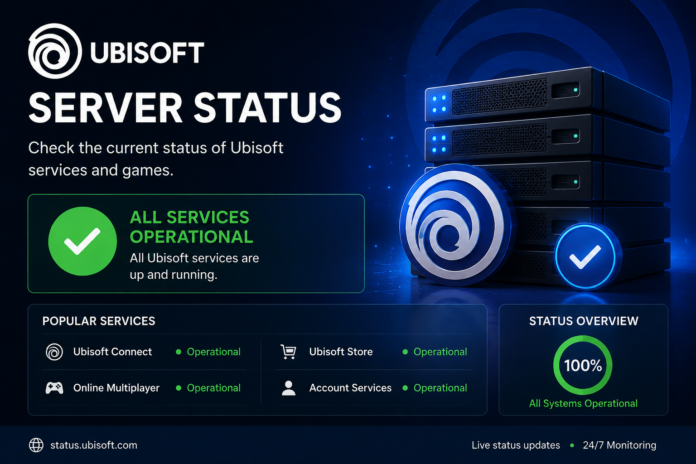

If you are trying to launch a Ubisoft game and suddenly cannot connect, the first question that usually comes to mind is simple: Is Ubisoft down right now? Connection problems can be frustrating, especially when everything was working normally a few minutes earlier. Sometimes the problem is caused by Ubisoft’s servers, while other times it may come from your internet connection, Ubisoft Connect, platform services, or a specific game.
The good news is that checking Ubisoft server status does not have to be complicated. Ubisoft provides service-status pages for its games, where players can check whether services are operational, undergoing maintenance, experiencing problems, or suffering an outage. Ubisoft’s service-status pages use status indicators to distinguish between normal operation, maintenance, problems, and outages.
In this guide, we will explain how Ubisoft server status works, how to tell whether a problem is global or local, what common server issues look like, and what you can do when Ubisoft services are unavailable. Whether you play Rainbow Six Siege, The Division 2, For Honor, or another Ubisoft title, these steps can help you understand what is happening before you start changing settings unnecessarily.
What Does Ubisoft Server Status Mean?
Ubisoft server status refers to the current condition of Ubisoft’s online services and individual game services. These systems are responsible for features such as online authentication, matchmaking, multiplayer sessions, account connections, and other online functionality. When these systems are operating normally, players should generally be able to connect without server-related interruptions.
However, online games depend on several connected services rather than one single server. A game can have separate systems handling login, matchmaking, player data, communication, and other features. This means one feature may experience problems while another continues working normally. Ubisoft has previously explained that connectivity can involve internet service providers, backend services, matchmaking, game servers, hosting providers, and other factors.
This is why checking the status of the specific game you are playing can be more useful than simply asking whether “Ubisoft is down.” For example, Ubisoft maintains individual service-status pages for games such as For Honor, The Division 2, Skull and Bones, and Rainbow Six Extraction.
How to Check Ubisoft Server Status
The easiest way to check Ubisoft server status is through Ubisoft’s official service-status page for the game you are trying to play. These pages are designed to show the current condition of the relevant online services and can be refreshed to obtain the latest information.
When you open the appropriate status page, look for indicators describing whether services are operational, under maintenance, experiencing problems, or facing an outage. Ubisoft’s service-status pages can automatically refresh, making them useful when you are waiting for an ongoing problem to be resolved.
It is important to check the correct game. A problem affecting one Ubisoft title does not automatically mean every Ubisoft service is unavailable. If Rainbow Six Siege is giving you an error, for example, check its service information rather than relying only on the status of another Ubisoft game.
Understanding the Different Ubisoft Status Indicators
Ubisoft’s service-status system uses several categories to communicate what is happening. Operational generally means the service is functioning normally. If you see this status but still cannot connect, the problem may be related to your device, network, platform, account, or a smaller issue that has not yet appeared on the public status page.
Maintenance means Ubisoft is intentionally performing work on the service. Scheduled maintenance can happen when developers need to deploy an update, make infrastructure changes, improve stability, or perform other technical tasks. During maintenance, some or all online features may temporarily become unavailable.
Problems indicate that Ubisoft has identified an issue affecting service performance or availability. This can be different from a complete outage because some players or features may still be able to connect. Outage is the strongest indication that the relevant service is currently unavailable. Ubisoft’s status pages explicitly use categories for operational service, maintenance, problems, and outages.
Why Are Ubisoft Servers Sometimes Down?
There is no single reason why Ubisoft servers can become unavailable. Online games operate on complex infrastructure, and maintenance is one normal reason for temporary downtime. Ubisoft has stated that services may occasionally be interrupted and that temporary suspension can occur for maintenance reasons.
Another reason can be unexpected technical problems. A backend service, authentication system, matchmaking component, or server provider may experience an issue that affects players. In these situations, Ubisoft’s teams need to identify the source of the problem before restoring normal service.
High player demand can also put additional pressure on online systems. Ubisoft has previously discussed situations where increased server load contributed to connectivity and matchmaking problems. Major updates, new seasons, special events, or highly anticipated releases can attract large numbers of players at the same time, making reliable infrastructure particularly important.
Is Ubisoft Down or Is It Your Internet?
One of the most common mistakes players make is assuming that every connection error means Ubisoft’s servers are down. Sometimes the problem is actually on the player’s side. Your internet connection, router, DNS configuration, device, or platform service can prevent a game from connecting even when Ubisoft’s status page reports normal operation.
A useful first step is to check whether other online services are working. If websites and other online games are also having connection problems, your internet connection could be the source. If everything else works normally but one Ubisoft Server Status game refuses to connect, the problem may be specific to that game or its online services.
The platform you use can also matter. Players on PC, PlayStation, Xbox, or other supported systems may sometimes experience different connectivity conditions. Therefore, a widespread Ubisoft Server Status problem and a platform-specific problem can look surprisingly similar from the player’s perspective.
What to Do When Ubisoft Servers Are Down
If the official Ubisoft Server Status status page confirms an outage or maintenance period, there is usually no setting on your computer or console that can immediately fix Ubisoft’s side of the problem. The most sensible approach is to wait for the service to return and check the official status page periodically.
Avoid repeatedly reinstalling the game just because you cannot connect. Server-side problems are not normally fixed by reinstalling the game, and doing so can waste time and bandwidth. Instead, confirm the status first and then troubleshoot your own connection if Ubisoft Server Status reports that services are operational.
It can also be useful to check official Ubisoft Server Status communications for updates when a significant outage occurs. Ubisoft’s support and game-specific channels may provide information about ongoing incidents, maintenance, or expected service restoration. Keeping an eye on official information is generally more reliable than assuming that every social-media report describes the same problem.
Common Signs of a Ubisoft Server Problem
There are several signs that can suggest a broader Ubisoft Server Status server issue. One obvious sign is when multiple online features stop working at the same time. For example, you might be unable to sign in, join matchmaking, or access online features even though your internet connection is otherwise working normally.
Another clue is when other players report the same issue at approximately the same time. Community reports can help you recognize a widespread problem, although they should not be treated as the final authority. A large number of reports can indicate that something unusual is happening, but only official information can confirm the cause.
A third sign is a sudden change after an update or scheduled maintenance period. Major game updates sometimes require temporary downtime while new files and backend changes are deployed. If the problem begins immediately around a known maintenance window, waiting for the maintenance to finish may be more appropriate than changing your local network settings.
Why the Ubisoft Status Page Can Say “Operational” When You Still Cannot Connect
This situation can be particularly confusing. You may open the Ubisoft Server Status server-status page, see an operational indicator, and then immediately receive an error when trying to enter your game. That does not necessarily mean the status page is useless.
Online services can experience localized or developing problems. A smaller issue might affect a particular region, platform, network provider, or service component without producing a broad global outage. There can also be a delay between the beginning of an incident and the publication or update of a public status notice.
Recent player reports have also shown examples where individuals experienced connection problems even while public Ubisoft Server Status status information appeared operational. That is a reminder that status pages should be considered alongside other troubleshooting steps rather than treated as the only source of information.
Ubisoft Maintenance vs. Unexpected Outage
Scheduled maintenance and unexpected outages are different situations. Maintenance is normally planned technical work. Developers may take services offline to install updates, make infrastructure changes, improve performance, or carry out other maintenance tasks.
An unexpected outage happens when something goes wrong without the service being intentionally taken offline as part of routine maintenance. These incidents can be caused by technical failures, backend problems, external service disruptions, or security-related incidents.
The distinction matters because maintenance often has a known window, while an unexpected outage may have no reliable restoration time at first. Ubisoft has previously conducted planned maintenance affecting its online systems, while it has also dealt with unexpected service disruptions. For example, a major Rainbow Six Siege incident in December 2025 resulted in the game’s services being taken offline while Ubisoft Server Status investigated and worked on restoring the systems.
What If Only One Ubisoft Game Is Down?
If one Ubisoft game is unavailable while another Ubisoft Server Status title works normally, the problem may be specific to that game’s infrastructure. Ubisoft’s service-status pages are organized around individual games, which is why checking the title you actually want to play is important.
For example, The Division 2 has its own Ubisoft service-status page, while For Honor and Skull and Bones have separate status pages as well. This structure allows players to identify problems affecting a particular title rather than assuming the entire Ubisoft Server Status network is offline.
Game-specific problems can also involve matchmaking rather than complete server failure. You might successfully log into the game but be unable to find a match. In that situation, the game’s authentication system may be working while another online component is experiencing problems.
How Long Do Ubisoft Server Outages Last?
There is no universal outage duration. Some problems can be resolved relatively quickly, while more complicated incidents can require considerably more time. The duration depends on what caused the problem, how widespread it is, and how difficult the underlying issue is to diagnose and fix.
Scheduled maintenance can sometimes be easier to anticipate because developers can announce a maintenance window beforehand. Unexpected incidents are less predictable because the technical team may need to investigate the cause before it can provide a reliable estimate.
For that reason, be cautious about websites or posts claiming an exact restoration time unless the information comes directly from Ubisoft Server Status. If Ubisoft has not provided an estimated return time, it is better to say that the service is currently being investigated or restored rather than inventing a specific deadline.
Tips for Troubleshooting Ubisoft Connection Problems
If the official status page shows that Ubisoft Server Status services are operational, start with simple troubleshooting. Check your internet connection and make sure your device is properly connected. Restarting your router or switching between available network connections can sometimes help identify whether the issue is local.
Next, completely close the game and Ubisoft Server Status Connect if you are playing on PC, then launch them again. Temporary connection or authentication problems can sometimes disappear after restarting the relevant application. On consoles, restarting the game and checking the console’s network connection can be a useful basic step as well.
If the problem continues, check whether your Ubisoft account can sign in normally and whether your gaming platform’s online services are functioning. If everything appears operational but you still cannot connect, Ubisoft Server Status Support is the appropriate place to investigate account-specific or technical issues.
Final Thoughts on Ubisoft Server Status
Checking Ubisoft server status should be one of the first things you do when a Ubisoft Server Status game suddenly refuses to connect. It helps you quickly determine whether you are dealing with a broader service problem or something closer to home.
Remember that Ubisoft Server Status does not operate every online feature through one single system. Individual games can have their own service-status pages, and different parts of an online game can experience problems independently. That is why checking the specific game, reading the current status indicators, and considering your own network connection together gives you a much clearer picture.
Most importantly, do not panic when a game suddenly stops connecting. Check the official status information first, look for maintenance or outage notices, and only then begin troubleshooting your own setup. Ubisoft’s service-status pages are designed to give players a direct view of service conditions, while official support channels can provide additional assistance when a problem is account-specific or continues after services return.
Whether you are waiting to join a Rainbow Six Siege match, return to The Division 2, or launch another Ubisoft Server Status title, knowing how to read the server status can save you a lot of unnecessary troubleshooting. When the servers are genuinely down, sometimes the best solution is simply to wait for the developers to restore the service.
You May Also Read: WebEngage